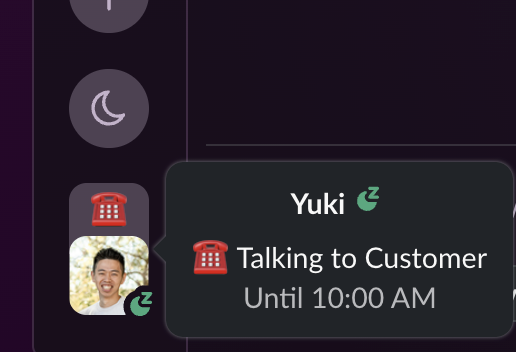
Real-time status confidence
Teammates see the right status and emoji without manual updates.
 BusyBee
BusyBee reads your Google Calendar and updates your Slack status with the emoji and text you choose—meetings, focus time, out of office, and more. Set rules once; skip the busywork.
No credit card required. Works with any Slack workspace.
Add BusyBee to your Slack workspace with one click.
Link your Google Calendar with /busybee connect.
Define what status to show for different event types and titles.
See your status update automatically, then manage rules on web or in Slack.
Teammates see the right status and emoji without manual updates.
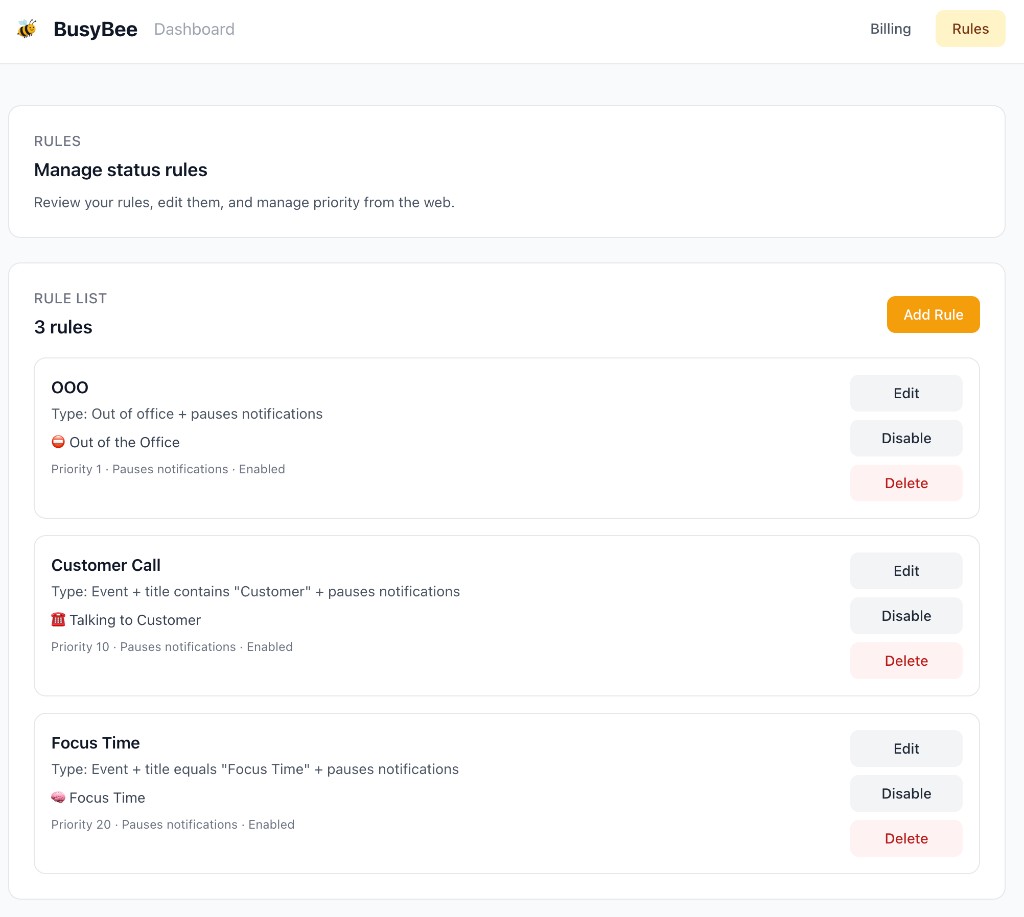
Manage rules from the web dashboard or directly inside Slack.
Match by event type (meetings, OOO, focus time), title keywords, or regex patterns.
Polls every 60 seconds so your status is always up to date with your calendar.
Manually set your status and BusyBee pauses. Clear it and auto-updates resume.
Set priorities so the most important rule wins when multiple events overlap.
Use any Slack emoji — standard or custom — for each rule.
Tokens encrypted at rest. We only read your calendar, never modify it.
Every plan includes all features. 14-day free trial, no credit card required.
Same features for everyone — plans differ only by team size.
BusyBee started from a simple frustration: Google Calendar is where the day actually lives, but calendar-driven Slack status often still feels generic—a meeting, a focus block, and an out-of-office day can all look the same. The goal was Slack presence that matches what is really on the calendar, with the right emoji and message for each kind of block, without constant manual updates (or a notification for every single event).
There was room for more playfulness, too. The Google Calendar for Slack app ties status to a fixed calendar emoji—you do not get to give a standup, a focus block, or PTO different energy, or use your workspace’s custom emojis. BusyBee is built for that kind of flexibility: pick the emoji and message (lighthearted, minimal, or on-brand) so status feels accurate and yours.
That is the idea behind BusyBee: keep Google Calendar as the source of truth, and use rules so teammates see an accurate, specific status in Slack. Whether or not that exact annoyance sounds familiar, if you want calendar-backed status you can shape to your workflow, BusyBee is built for that.